
Find


Platform Features Release: March 2023
Announcing the latest features/functions updates, additions, or edits to the trading platform: Valuation and Fundamental Data Points added Users have [...]
Posted in Research, Watch, Find, Release Notes, Screener, Functionality, Watch List, Find, Trading
Tagged research, data points, customize, watch lists, screener, views
Comments Off on Platform Features Release: March 2023
Create Watchlists from Spectrum View
Spectrum View can be used to create or add Watchlists 1. Select the Group, Operator and Time Period Example: Optionable, [...]
Posted in Location, Find, Functionality, Find, Heat Map
Tagged heat map, spectrum map, views, watchlist, filter, sectors, industries
Comments Off on Create Watchlists from Spectrum View
Platform Feature Release: Screener
Feature Release Notes: Screener Announcing the latest feature/function updates, additions or edits to the trading platform: Screener – Trading styles [...]
Screener (Premium Desktop Feature)
Screener Located under the Find Tab, the Advanced Screener is designed to allow the user to customize their own trade [...]
Scans – Find Opportunities – Overview
Stagnant? Uncertain? Bearish or Bullish? Short or long term? No problem! This “Find” category is where to find opportunities based [...]
Overview of Scans
Want some ideas to take advantage of market conditions? This is the place to find Stock and Option opportunities based [...]
The Top 4 Categories
The names may be different, but the scans remain the same! Feature – Your favorite and our highlighted scans, including [...]
Posted in Location, Find, Scans, Uncategorized, Find
Tagged navigation, menu, How to, find, scans
Comments Off on The Top 4 Categories
The Tile
The Scan Name and number of results are displayed on each Tile. Click on the on the upper right corner [...]
Dynamic Scan Information
The scan results provide relevant information for that scan. For example: Dividends will show Yield, Covered Calls will show [...]
Filter Scan Icon
The Filter icon – located in the upper left area of the scan page – allows you to narrow candidates of [...]
Smart Action Icon
The Smart Action Icon adjusts available features depending upon where you are in the trading platform. For Stocks you can [...]
Scan – Smart search
The search box is found at the top of Find. It performs ‘smart searches’ by pulling all scans related to [...]
Save your Favorite Scans
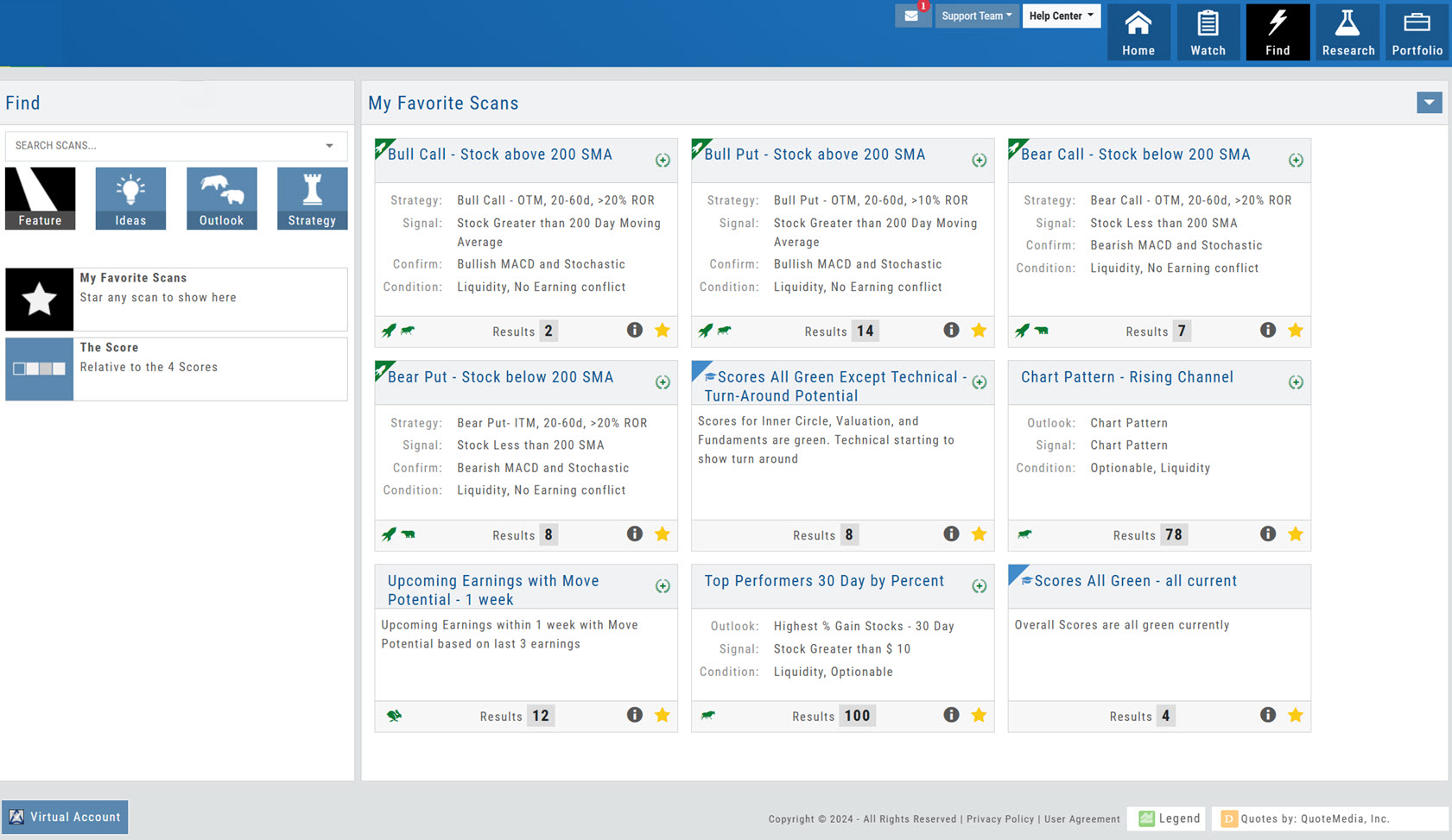
Create your Customized Scan List Star any scan to have it show in Feature > My Favorite Scans. There are [...]
Past Scan Results
When viewing scan results, you can select a past date by clicking on the Calendar Icon, then the back arrow [...]
Heat Map & Spectrum Overview
Broad Market Insight that allows you to drill down The Heat Maps are accessible in the Market tab and under Find>Explore and [...]
Earnings Per Share Performance
Once a date has past and earnings have been announced, Earning Per Share (EPS) is color-coded based on how much [...]